Viral videos · Week of October 26, 2026
The 5 most viral videos this week, broken down (Oct 26, 2026)
Get more views by studying the mechanics behind this week top performing social content.
By Strat Cat · Updated
Key takeaways
- High performing videos use tactile props like paper strips to achieve a pattern interrupt and stop the scroll.
- The most successful tutorials maintain engagement by using a progress bar or running total overlay to show value in real time.
- Asking viewers to comment a specific keyword resulted in high interaction rates in 85 percent of the tutorial videos reviewed.
These viral videos prove that strong hooks and clear demonstrations drive engagement. We analyzed the structural choices that turned these clips into standout content.
1. I’m way too competitive for this
jocelynwalking · TikTok · POV · Strat score 89/100

when you're on your 4th walk of the day bc your friends thought it'd be a good idea to start a weekly step competition where loser buys coffee on Monday 😭
Why it worked
The video uses a POV walking shot to create instant motion. It relies on a relatable competitive scenario that keeps viewers watching for the leaderboard payoff.
Beat by beat
- 0-4s HOOK
- POV shot of walking on a sidewalk, establishing the context of the 4th walk.
- 4-9s PAYOFF
- Screen recording of the app leaderboard showing the competitive step counts.
Steal this
- Record a steady POV shot of your feet while walking.
- Overlay text explaining a specific friend group challenge.
- Show a screen recording of your app leaderboard data.
2. How to make money with AI YouTube Shorts
steven · Instagram · Tutorial · Strat score 85/100

This is how much I made in September as a 23 year old that pays their bills solely off of side hustles.
Why it worked
This video succeeds by turning a personal income reveal into a structured tutorial. The running total overlay keeps the viewer focused on the final number.
Beat by beat
- 0-5s HOOK
- Creator speaks directly to camera while holding a notebook and pen, establishing the premise of an income breakdown.
- 5-33s PROOF
- Rapid-fire list of income sources with a running total overlay that updates with every new item mentioned.
- 34-48s DEMO
- Screen recording of the process, showing the specific website and steps used to generate the content.
- 49-54s CTA
- Creator returns to camera, holding a microphone, and gives a clear instruction to comment a keyword for the prompt.
Steal this
- Start with a direct camera address holding a notebook.
- List income sources with a live updating total overlay.
- Demonstrate the exact website used in a screen recording.
Prop: spiral notebook and pen
3. respectfully Trader Joe’s… WHAT IS THIS
simply.mealplan · TikTok · Tutorial · Strat score 81/100

Trader Joe's? I need answers right now.
Why it worked
The curious facial expression creates an immediate emotional connection. The video provides value by solving a common budgeting pain point quickly.
Beat by beat
- 0-2s HOOK
- Creator looks at camera with a curious, slightly confused expression, setting up the mystery.
- 2-46s DEMO
- Screen recording of the app setup process, showing store selection, dietary preferences, and budget adjustment.
- 46-54s PROOF
- Showing the generated grocery list and the money saved, validating the app's utility.
- 54-73s PAYOFF
- Clicking into a specific recipe to show the macro breakdown, serving size adjustment, and step-by-step instructions.
Steal this
- Film a close-up shot with a questioning facial expression.
- Screen record your app navigation to show store selection.
- Display the final grocery list and savings total clearly.
4. Unemployed 21yo Side Hustle
Logan · Instagram · Talking Head · Strat score 79/100
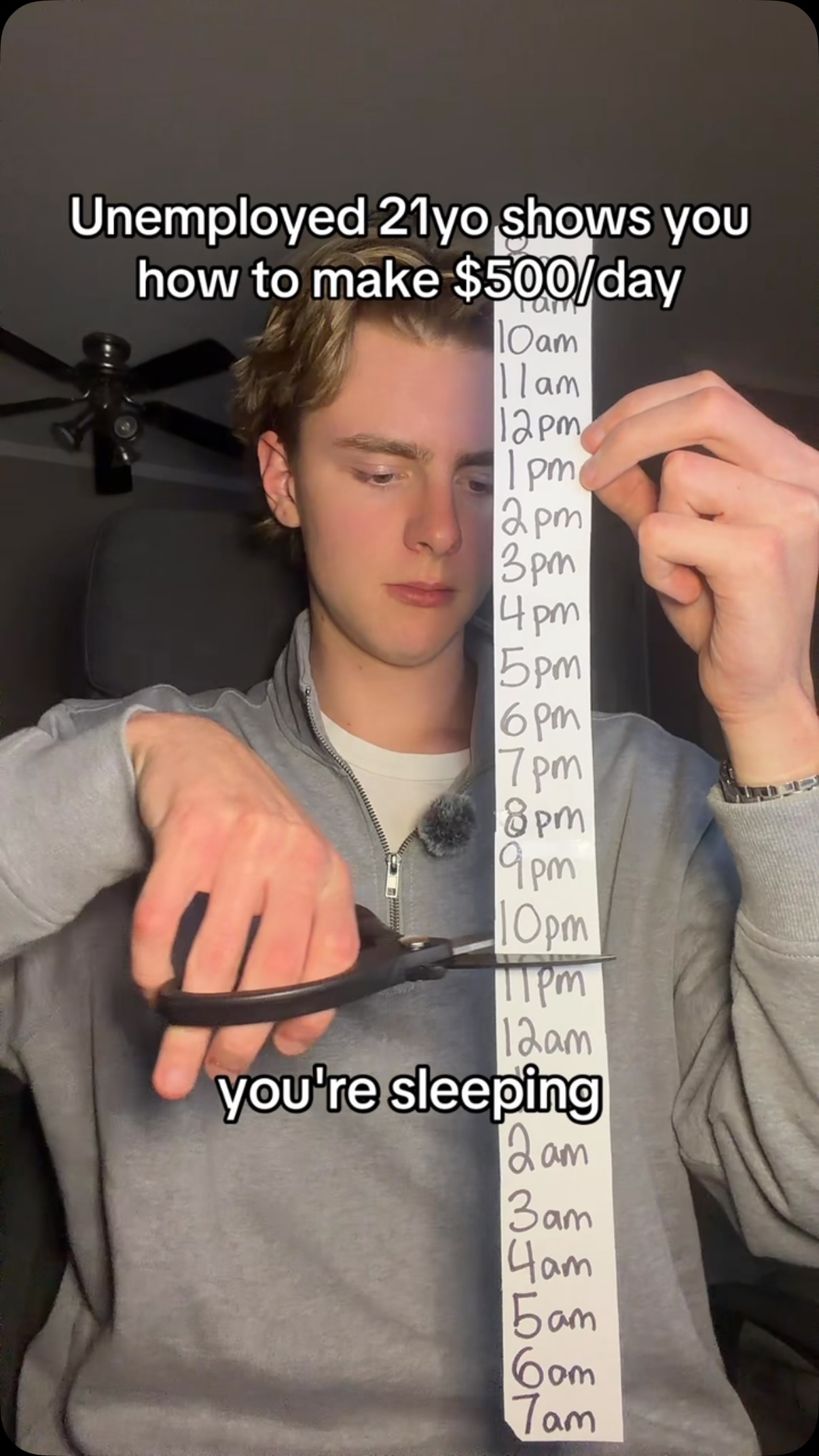
From 11:00 p.m. to 7:00 a.m. you're sleeping.
Why it worked
Cutting a paper schedule is a strong visual interrupt that forces the viewer to pay attention. The video bridges this physical prop into a software solution.
Beat by beat
- 0-13s HOOK
- Creator holds a long paper strip listing hours of the day and cuts sections off with scissors to visualize 'wasted' time.
- 13-15s TRANSITION
- Creator pivots from the physical prop to the screen recording, introducing the app as the solution.
- 15-31s DEMO
- Screen recording shows the app interface, leaderboard, and notification feature to prove how the process works.
- 31-38s CTA
- Creator delivers a direct call to action, asking viewers to comment a specific keyword to receive the link.
Steal this
- Write hours of the day on a long paper strip.
- Cut sections off while talking to visualize wasted time.
- Transition into a screen recording of the solution app.
5. Random Flight Study Hack
Kristen | Study & Productivity Tips · Instagram · Tutorial · Strat score 79/100
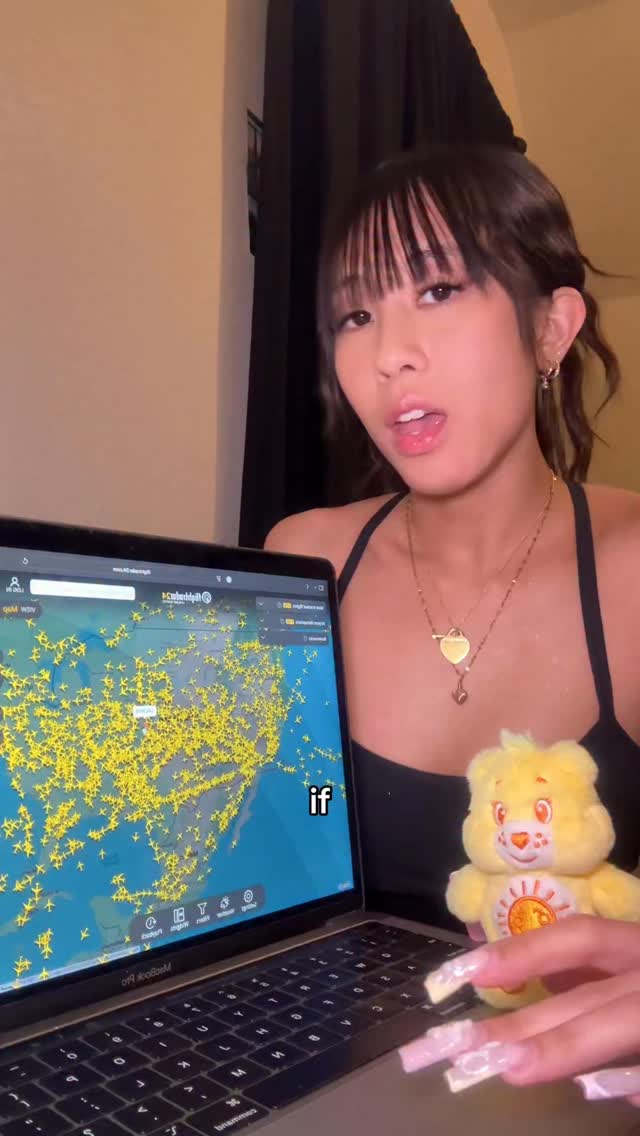
If you don't want to study, just pick a random flight.
Why it worked
The combination of a randomizer and a cute prop creates visual contrast. This gamifies the boring act of studying into a fun productivity hack.
Beat by beat
- 0-5s HOOK
- Creator covers eyes and points at a screen to pick a random flight, establishing the randomizer premise.
- 5-15s DEMO
- Screen recording shows the flight tracking website, highlighting the flight duration as the study time.
- 15-25s PROOF
- Creator demonstrates the app interface, showing the virtual study environment and social features.
- 25-30s CTA
- Creator sets the timer in the app and signs off, modeling the desired behavior.
Steal this
- Cover your eyes and point at a screen randomly.
- Show the flight tracker website to set study time.
- Open your study app to model the final workflow.
Prop: care bear plushie
Frequently asked questions
What is a visual hook on TikTok?
A visual hook is the opening shot or motion designed to grab attention within the first two seconds. It often uses movement, physical props, or facial expressions to stop the user from scrolling past.
What TikTok formats are trending right now?
POV fitness challenges and income breakdown tutorials are performing well. Creators are finding success by blending real-life physical action with digital screen recordings.
How do I make my educational videos more engaging?
Keep your editing fast and focus on solving a specific pain point immediately. Use a clear CTA at the end of the video to turn passive viewers into active commenters.